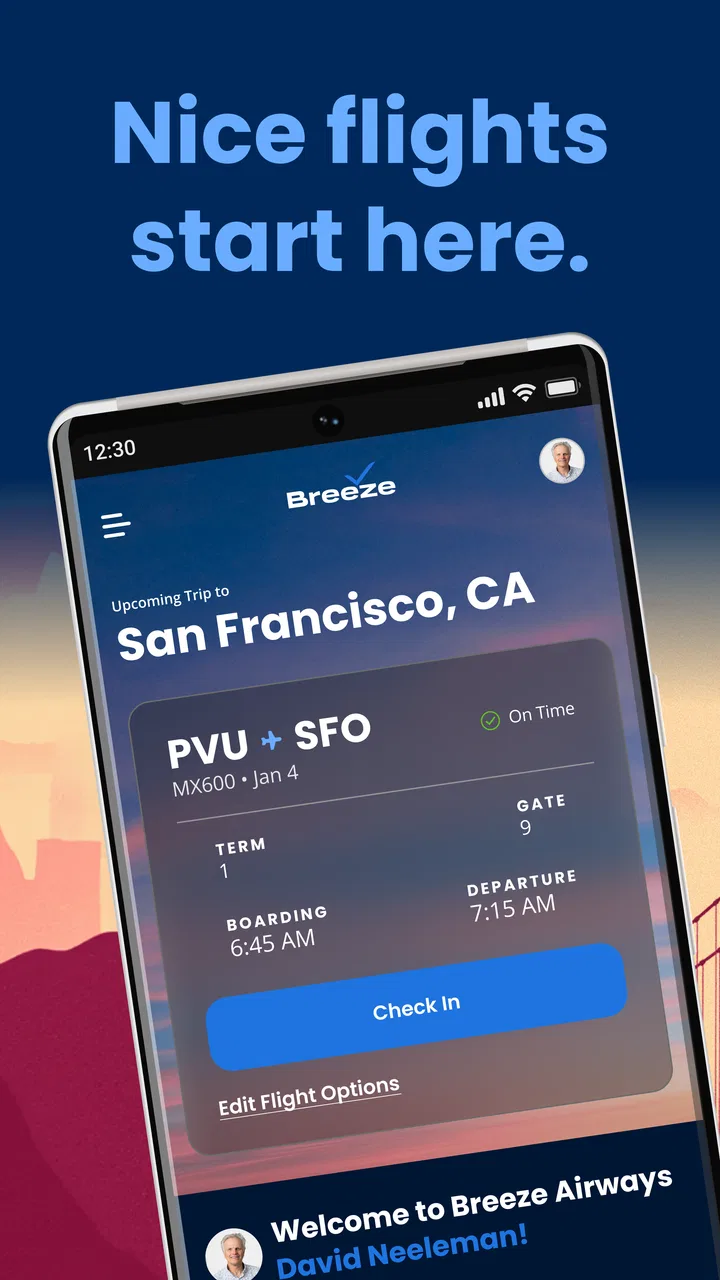
Breeze Airways
- 4.8
- Rating
- 500.00K
- Installs
- Free
- Price

 Analysis by App-foxy
When I plan a flight, I want the booking process to feel lighter than the trip itself. Breeze Airways is built for that specific job: it is a free travel and local app from Breeze Aviation Group, Inc. that puts the airline’s mobile booking experience on a phone. I used it with that expectation in mind, and my overall impression is practical rather than flashy. It is most useful when I already know roughly where I want to go and want to move from search to reservation without opening a desktop browser.
The app has a strong public reception, with an average rating of 4.8 from around twelve thousand ratings and more than five hundred thousand installs. Those figures suggest that many travelers find the basic experience dependable, but they do not mean every journey will feel effortless. Airline apps are judged in stressful moments: a fare changes, a connection needs attention, or I am trying to retrieve a trip while standing in an airport. That is where speed, stability, and recovery matter more than a polished first screen.
How Breeze Airways feels during real travel planning
I find the app’s clearest value in a familiar travel-planning moment: once I’ve narrowed down a trip and want to consider Breeze, I can keep the airline booking task separate from wider comparisons. That distinction also helps me decide what information to double-check before moving ahead. Next, I look at the choices and habits that can keep a mobile booking process easier to follow.
You May Also Like

 Blood Strike: 2.5 Anniversary
Blood Strike’s Loadouts Turn Every Drop Into a Tactical Gamble
A close look at Blood Strike’s custom loadouts: how fast access to signature weapons reshapes its battle royale rhythm, rewards preparation, and narrows the gap between fights.

 Pandora - Music & Podcasts
Pandora’s Music Is Easy to Start, but Harder to Recover
Pandora’s strength is its low-effort path from a seed to a station. Its weak spot is how much confidence it asks you to place in connection, setup, and quiet recovery.

 8 Ball Pool
 Is Built on Rivalries, Rematches, and Routine
A close look at the rivalries, rematches, shared routines, and unanswered safety questions that turn a quick pool match into a persistent mobile community.

 Samsung Music
’s Quiet Strength Is Playing What You Already Own
Its reach comes less from spectacle than from dependable access to a personal library. That simplicity is both the app’s strongest retention engine and its ceiling.

 AccuWeather: Weather Radar
AccuWeather Review: A Quick, Clear Forecast for Everyday Decisions
For everyday plans, the best forecast is the one you can understand quickly. AccuWeather makes rain timing, radar, and local conditions easy to act on, with a few trade-offs.

 Hill Climb Racing
Why Hill Climb Racing Still Turns Crashes Into One More Run
A tiny car, a bumpy hill and one more upgrade: Hill Climb Racing keeps resurfacing because its simple chaos makes every near-miss feel personal.
More From Our News Desk



Fast enough when the task is straightforward
For a simple booking, Breeze Airways feels focused. I can approach it with a clear destination and travel date, check the available choices, and continue through the airline-specific process without the distraction of a broad travel marketplace. That narrow purpose is one of its advantages. A general booking service may show more carriers, but it can also add extra comparison screens, redirects, and account steps before I reach the airline that actually operates the flight.
The speed I notice most is not just how quickly a screen appears. It is how little mental switching the app requires. When I am booking a direct trip with flexible plans, an airline-specific app makes more sense than juggling several travel sites. I can keep the process in one place and return to the same app when I need to review the journey later. That continuity is especially useful on a phone, where changing between browser tabs can be awkward.
There is an important trade-off. Breeze Airways is not the right first stop if I am searching broadly across airlines, comparing complicated combinations, or trying to discover the cheapest possible route from a large set of providers. A general travel app is better for that kind of research. I see this app as the focused second step: compare the wider market elsewhere if necessary, then use the airline’s own app when Breeze is the option I am considering.
What happens when the booking becomes complicated
Air travel rarely stays simple. A search can become more demanding when I change dates repeatedly, compare several destinations, or pause halfway through a reservation. In those moments, perceived performance depends on how clearly the app preserves the current context. I prefer to make one decision at a time rather than rapidly tapping through screens, because airline booking flows can require information that is easy to overlook when I rush.
My practical advice is to prepare the details before opening the app: passenger names exactly as they should appear, preferred dates, and a payment method ready to use. That is not a workaround for a defect; it is a sensible way to reduce friction in any airline booking process. It also helps me recognize whether a change is caused by my own revised search or by the app loading a new result.
For a last-minute booking, I would use the app while connected to a stable network and avoid closing it during the most important steps. If a result takes longer than expected, waiting briefly is safer than repeatedly pressing the same control. Repeated taps can make any mobile transaction feel uncertain, especially when I am not sure whether the previous action has already been accepted.
Handling a busy travel day
The real test is not a quiet booking at home. It is the morning of a flight, when I may be carrying luggage, watching the clock, and using a phone with limited attention. In that situation, an airline app is valuable when it reduces the need to search through email or open a full website. I want the app to be the place I return to for the trip rather than another source of scattered information.
I would still avoid treating the phone as my only backup. Before leaving, I make sure I know the essential travel details and keep access to the email account used for the reservation. If the app needs to be restarted, the network becomes unreliable, or the phone battery is low, having the booking information available elsewhere can prevent a small technical delay from becoming a travel problem. This is one of the most important habits for using any airline app responsibly.
Heavy use can also mean repeated searches rather than one long session. Someone comparing several weekends may create more loading and refresh activity than a traveler making a single reservation. I find it more efficient to narrow the dates first, note the promising options, and then return for a final check. That workflow reduces unnecessary screen changes and makes it easier to notice when I am comparing like with like.
Reliability and recovery when something goes wrong
A reliable booking app is not one that never encounters a delay. It is one that lets me understand what happened and continue safely. The most uncomfortable situation is uncertainty after tapping a payment or confirmation control: did the action fail, or is the app still processing it? In that case, I would check for a confirmation message or email before attempting the transaction again. Repeating a purchase immediately can create more confusion than waiting and verifying.
If Breeze Airways stops responding, my recovery sequence would be simple. I would first check the connection, then wait a moment, close and reopen the app, and look for the trip again. If I had been in the middle of a purchase, I would verify whether a reservation was created before restarting the booking. This approach is slower than blindly retrying, but it protects against duplicate actions and keeps the situation understandable.
The app’s current version is 2.150.0, which shows that it is an actively maintained product rather than a one-time booking page. That does not guarantee perfect behavior on every phone, but it gives me more confidence than an app that appears abandoned. I still judge reliability by the complete journey: opening the app, finding the right trip, returning to it later, and recovering sensibly when the network or session is interrupted.
There is also a limit to what an airline app should be expected to solve. If a flight changes, a payment issue appears, or a travel rule needs human clarification, a digital interface may not be enough. I would use the app for the parts it handles efficiently, but I would not assume that every exceptional situation can be resolved without contacting the airline through its available support channels.
Phone age, storage, and everyday resource demands
Breeze Airways supports Android devices running version 7.0 or newer. That broad compatibility is helpful for travelers who do not replace their phone frequently. It also means the app is not restricted to the newest hardware, although an older phone may feel less responsive when several other apps are open or when storage is nearly full.
For a travel app, I care less about demanding graphics and more about whether it remains usable while my phone is busy. Before a trip, I close apps I do not need, charge the device, and make sure there is enough free storage for normal updates and general phone operation. These steps are not specific fixes, but they make a noticeable difference when I need to access a booking quickly.
Battery use is another practical concern. I would not expect a booking app to be a major drain during a short session, but travel days often involve maps, messages, cameras, and airport information at the same time. If I am depending on the app during a long day, I carry a power bank or charge the phone before reaching the airport. The app cannot compensate for a device that is already close to shutting down.
Android compatibility also affects who should choose it. The app is marked for Everyone, and its minimum operating system makes it accessible to many Android users. Someone on a very old or heavily cluttered device should still test it before the day of departure, not at the gate. A quick opening, sign-in, and trip check at home can reveal whether the phone is ready for travel use.
Where it beats the usual alternatives
The clearest comparison is between Breeze Airways and a general flight-search service. A broad service wins when I want to compare multiple airlines, inspect a wide range of routes, or begin without knowing which carrier I will use. Breeze Airways wins when I have chosen Breeze and want a more direct path to the airline’s own booking environment.
Compared with using a mobile browser, the app feels more natural for repeat access. A browser can be perfectly adequate for one quick search, especially if I do not want another app installed. However, an installed airline app is easier to find when I am already traveling, and it keeps the booking task separate from the many tabs that tend to accumulate in a browser.
Compared with relying only on confirmation emails, the app offers a more intentional place to return to the airline experience. Email remains a useful backup, but it is not always the fastest way to orient myself when I am in a hurry. I prefer having both: the app for active trip management and email for independent confirmation and recovery.
Who will get the most from it
I would recommend Breeze Airways to travelers who frequently choose this airline, prefer handling reservations on a phone, and value a focused booking route over a large comparison marketplace. It is also a sensible choice for someone who wants an airline-specific tool without paying to download it. The free price removes the main barrier to trying it before committing to use it on an important trip.
It is less suitable for a traveler who wants one app to search every airline, combine unrelated carriers, or manage a highly complicated itinerary across several providers. In that case, a broader travel service may be the better planning tool, with Breeze Airways used only if the final booking is made with Breeze. I would also skip depending on it exclusively if my phone is outdated, unreliable, or regularly runs out of battery.
One everyday scenario shows its value. Suppose I am planning a short visit and have already decided that Breeze is the carrier I want to consider. I can use the app to check the available travel choices, complete the reservation from my phone, and return to the same place when I need to review the trip. If my dates are uncertain, I would compare a small number of options deliberately rather than refreshing endlessly. That keeps the process clearer and reduces the chance of selecting the wrong date under pressure.
A few habits that make the experience safer
My first tip is to separate exploration from commitment. Search and compare while relaxed, then begin the final booking only after checking the dates and passenger details. This is particularly useful in an airline app, where a fast interface can encourage me to move forward before I have reviewed the basics.
My second tip is to verify before retrying. If the app appears to pause after a major action, I check email or reopen the trip area before starting over. That small pause is a better recovery strategy than assuming failure immediately. It protects both my time and the clarity of the reservation process.
My third tip is to prepare for offline inconvenience even when the app itself is working well. I keep the phone charged, know where the booking email is, and avoid waiting until the airport to discover that an older device needs an update or has no free space. The app is most helpful when it is one part of a prepared travel setup, not the only thing I trust.
My fourth tip is to use the right tool for the right question. If I am asking, “What airlines can take me there?” I start with a broad search service. If I am asking, “Can I book and revisit this Breeze trip from my phone?” this app is the more direct answer. That distinction prevents disappointment and makes the app feel much more capable within its intended role.
My performance verdict
After looking at it as a working travel tool rather than just a download, I see Breeze Airways as a focused and accessible option for Breeze passengers. Its strongest quality is purpose: it does not need to replace every travel service to be useful. It needs to make the airline’s booking journey convenient on a phone, and that is the situation where I would choose it.
The experience is likely to feel fastest when the trip is straightforward, the connection is steady, and the phone is in good condition. More complicated searches, interrupted sessions, and last-minute problems require patience and a backup plan. Those limitations are important because airline travel creates higher stakes than ordinary browsing. A moment of uncertainty during a booking deserves verification, not repeated tapping.
With an Everyone content rating, support for Android 7.0 and newer, and a free download, it is easy for most eligible Android travelers to try. Breeze Aviation Group, Inc. has built an app that makes sense for people who already intend to fly with Breeze. My honest recommendation is to install it before the trip, test the basic flow while calm, and keep a separate record of the reservation. Used that way, it is a practical companion; used as a universal flight-search replacement or the only backup for a difficult travel day, it is not the right choice.
Overall, I would keep Breeze Airways on my phone if Breeze is one of my regular airline choices. It earns its place through focused access and a simple role, not through trying to do everything. For direct airline booking and returning to a Breeze trip from an Android device, it is a convincing free option. For broad comparisons or complicated multi-airline planning, I would pair it with a more comprehensive travel service instead of expecting one app to cover the entire journey.
FAQs for Breeze Airways
01What is Breeze Airways and how does it work?
Breeze Airways is a user-friendly app designed to make booking flights with Breeze Airways easy and efficient. The app allows users to search, book, and manage their flights seamlessly. It provides real-time updates on flight statuses, offers various payment options, and includes features like seat selection and baggage tracking.
02How do I book a flight using the Breeze Airways app?
To book a flight, simply open the Breeze Airways app and enter your travel details such as departure and destination cities, travel dates, and number of passengers. The app will then display available flights. You can select your preferred flight, choose your seat, add any extras, and proceed to payment directly through the app.
03Can I manage my bookings through the Breeze Airways app?
Yes, the Breeze Airways app allows you to manage your bookings effortlessly. You can view your itinerary, change flight details, upgrade seats, and add baggage. The app provides notifications and reminders about check-in times and gate information, ensuring a smooth travel experience.
04What are some unique features of the Breeze Airways app?
The Breeze Airways app offers several unique features, including personalized travel recommendations, integration with loyalty programs, and special discounts. It also has a user-friendly interface with a simple navigation system, making it easy for users to access all necessary travel information and updates in one place.
05Is the Breeze Airways app free to use?
Yes, the Breeze Airways app is free to download and use on both Android and iOS devices. However, while the app itself is free, keep in mind that booking flights, adding extras like baggage or seat upgrades, and other services may incur additional costs depending on your selections.
Pros
- User-friendly interface for easy booking
- Affordable flights with competitive pricing
- Frequent updates with new destinations
- Loyalty program for regular travelers
- Excellent customer service support
Cons
- Limited in-flight entertainment options
- No Wi-Fi on most flights
- Restricted baggage allowance
- App occasionally crashes on older devices
- Limited international flight options

Breeze Airways
Gallery